
“Design is not just what it looks like and feels like. Design is how it works.”
- Steve Jobs, Co-founder of Apple
User-centered Design Principles
Learn how to design with real users in mind—focusing on their needs, behaviors, and experiences.
Wireframing & Prototyping
Turn ideas into interactive layouts using industry-style tools and structured design thinking.
Usability &
Testing
Understand how to evaluate designs and improve them through feedback and iteration.
What is UI Design?
UI (User Interface) design focuses on how a product looks and feels. From buttons and colours to layouts and typography, it’s about creating visually appealing interfaces that are easy to interact with.


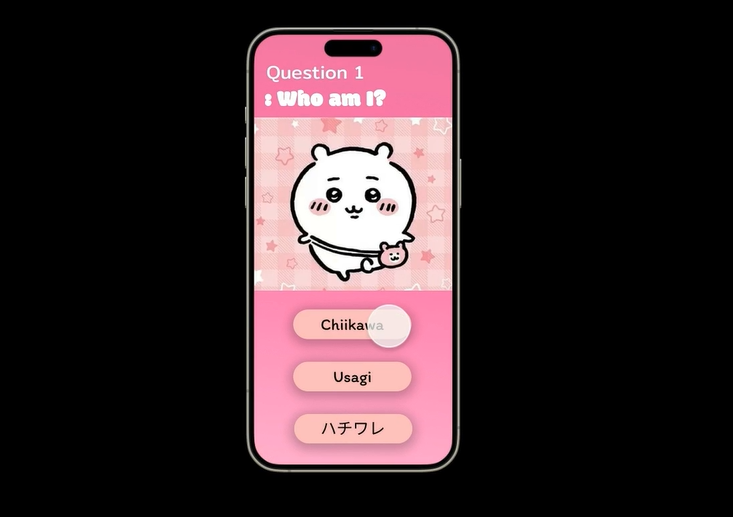
UX (User Experience) design is about how a product works. It involves understanding users, planning their journey, and making sure everything feels smooth, intuitive, and frustration-free.
Great UI/UX design makes apps and websites easier, faster, and more enjoyable to use. It’s what turns a good idea into something people actually love—and keep coming back to.

Design like a Professional
We introduce students to the same tools used by real UI/UX designers, guiding them from their first wireframe to interactive, clickable designs.
Career Opportunities

UI/UX Designer

Digital Artist

Graphic Designer

Levels 1–3: Building Foundations
BEGINNER
Start strong by developing essential digital skills and confidence through guided, hands-on learning.
Understand core concepts across coding, design, and problem-solving.
Create simple projects using beginner-friendly tools.
Level up with EZA
Our structured learning pathway is designed to guide students from foundational concepts to advanced, real-world applications. Each level builds on the last, developing technical skills, creativity, and confidence—so learners don’t just understand technology, they learn how to create with it.
Levels 4–6: Grow and Explore
INTERMEDIATE
Expand your abilities by tackling more complex projects and exploring different areas of technology.
Apply skills to build more advanced, interactive projects.
Develop logical thinking and creative problem-solving techniques


Levels 7–9: Master and Create
ADVANCED
Refine your expertise and bring ideas to life through high-level projects that showcase your skills.
Work with advanced tools, techniques, and workflows.
Plan, build, and present polished, real-world projects.

UI/UX WITH DIGITAL DESIGN
Students learn UI/UX design with tools like Figma, plus Photoshop and After Effects, building user-centred digital, visual, and design skills for real-world applications.
AGES:
7 - 18
LEVELS:
5 LEVELS
Suitable for those who want to:
-
Explore UI/UX
-
Acquire Design Skills
-
Learn Figma & Adobe Creative Suite
-
Build their own digital portfolio
Course Preview
